ScriptScore
Professional Notation Engraving Software
Currently in the build / testing phase
Gallery tour
Workspace
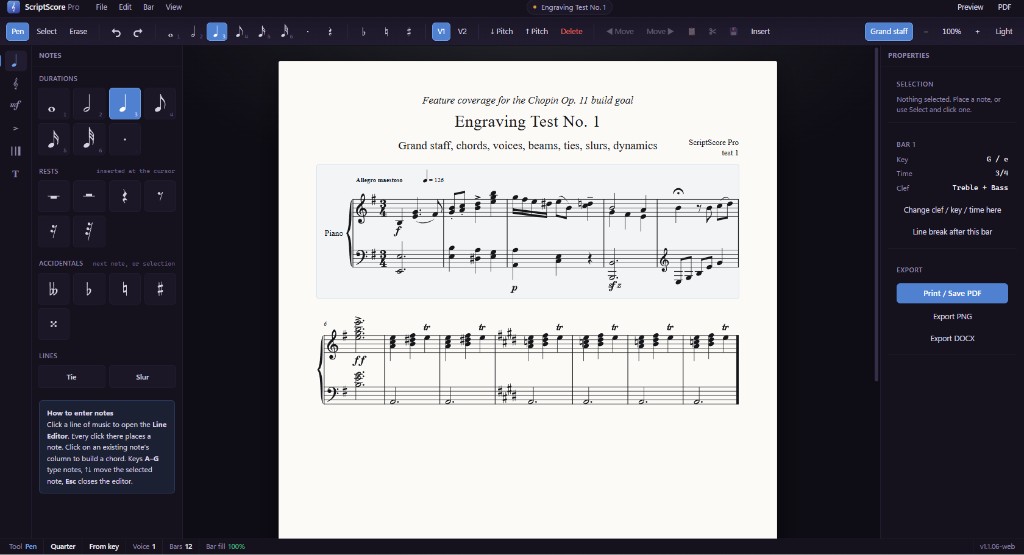
Dark room, bright score
ScriptScore Professional Notation Software is built as a serious engraving environment: the score page stays bright and readable while the surrounding workspace stays quiet.
That separation matters when you are proofing long parts. You spend your attention on notation, not chrome, which is how professional desktop engravers expect to work.
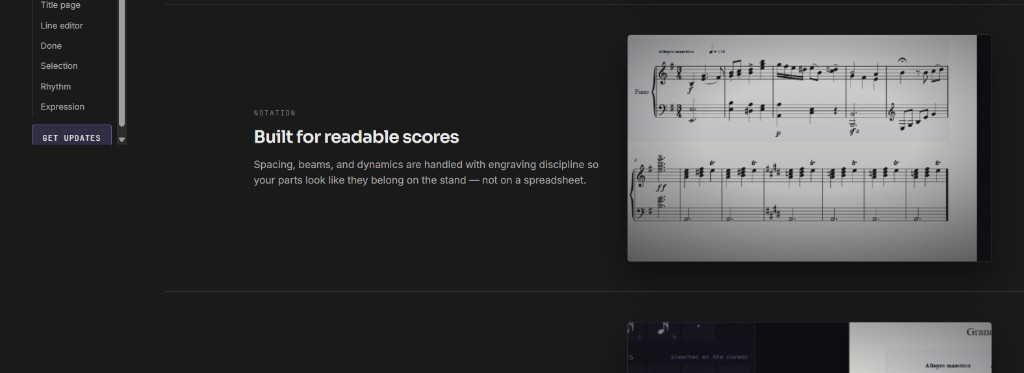
Notation
Ink that respects the player
Every beam, stem, and dynamic is placed with engraving discipline so parts remain legible under rehearsal pressure.
ScriptScore targets publisher-grade spacing and collision avoidance, not a quick sketch pad. The goal is music that looks like it belongs on a professional stand.
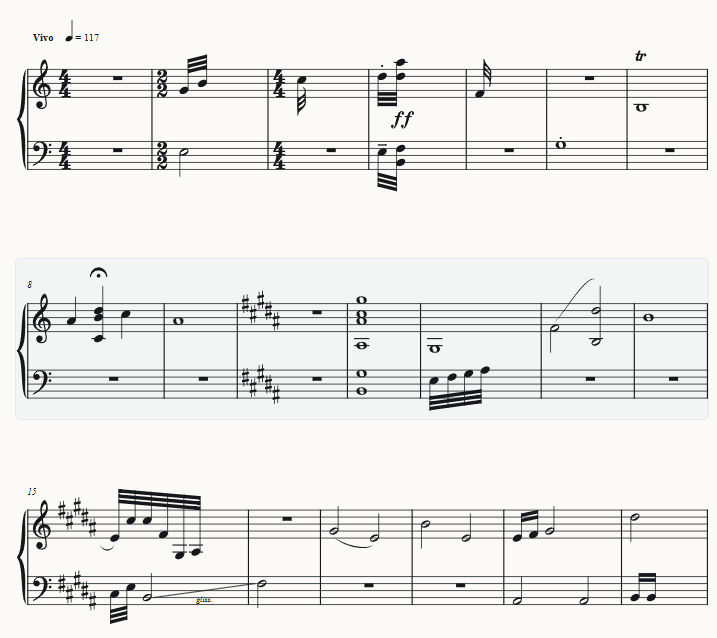
Playback
A line that moves with you
Playback follows the measure you are editing so you can hear phrasing while you refine the engraving.
For a professional notation program, sound and score must stay aligned. ScriptScore keeps the playhead tied to the passage on screen while you adjust notation details.
Identity
Titles that belong on the stand
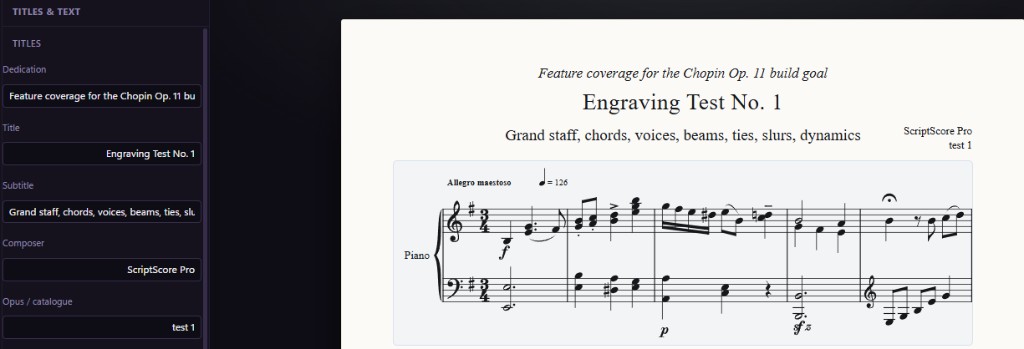
Work title, dedication, and catalogue information flow directly onto the engraved page with the same typography rules as the music.
Professional scores carry identity on the page itself. ScriptScore treats title blocks as first-class engraving objects, not an afterthought layered on later.
Layout
One page, one intention
Page layout keeps metadata calm and centered while the notation carries the visual weight performers expect.
ScriptScore is being shaped for concert and studio delivery: margins, title placement, and system breaks should feel deliberate. Layout tools stay close to the score so you do not fight the program to get a publishable page.
Theory
Harmony at a glance
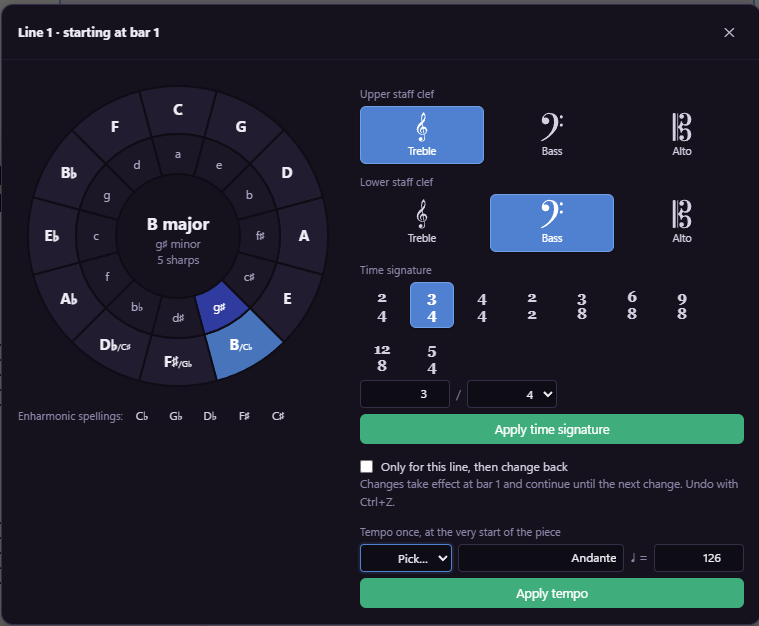
The harmonic wheel puts common tonal relationships one gesture away when you are sketching or reharmonizing a passage.
Theory aids should support engraving, not interrupt it. ScriptScore integrates harmony tools beside the score so you can make informed harmonic choices and return to clean notation immediately.
Expression
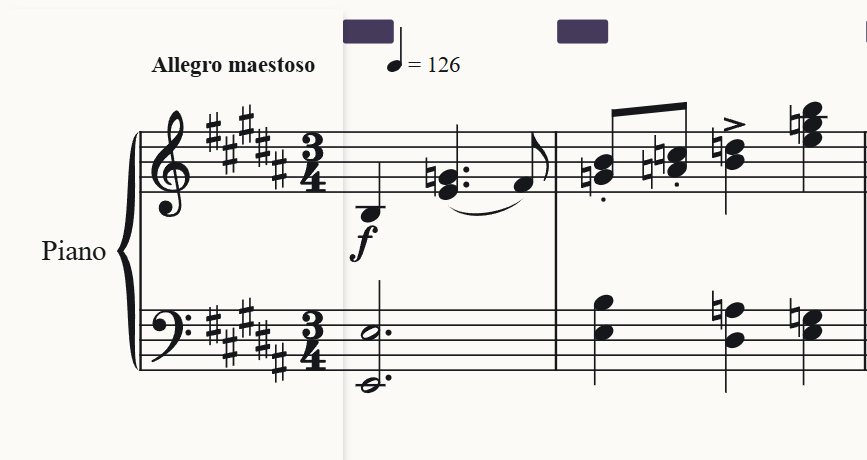
Words and numbers together
Tempo words and metronome marks share the same engraving rules as the rest of the score opening.
Professional parts need both human-readable tempo language and precise metronome values. ScriptScore keeps those marks aligned with the first system so conductors and librarians see a complete front matter block.
Entry
Durations at your fingertips
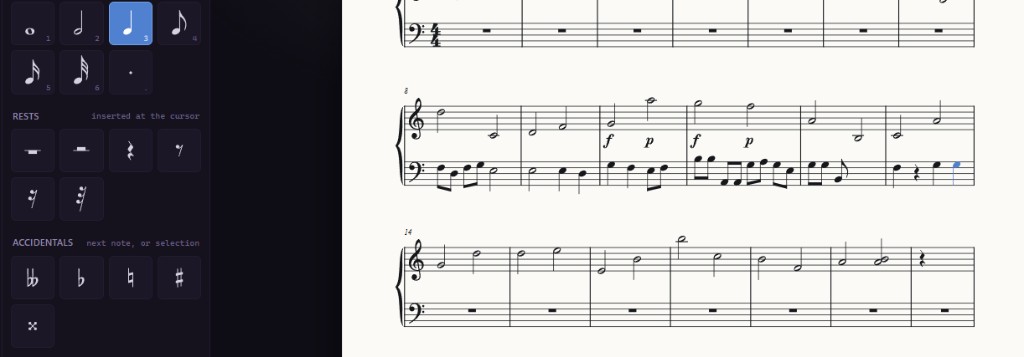
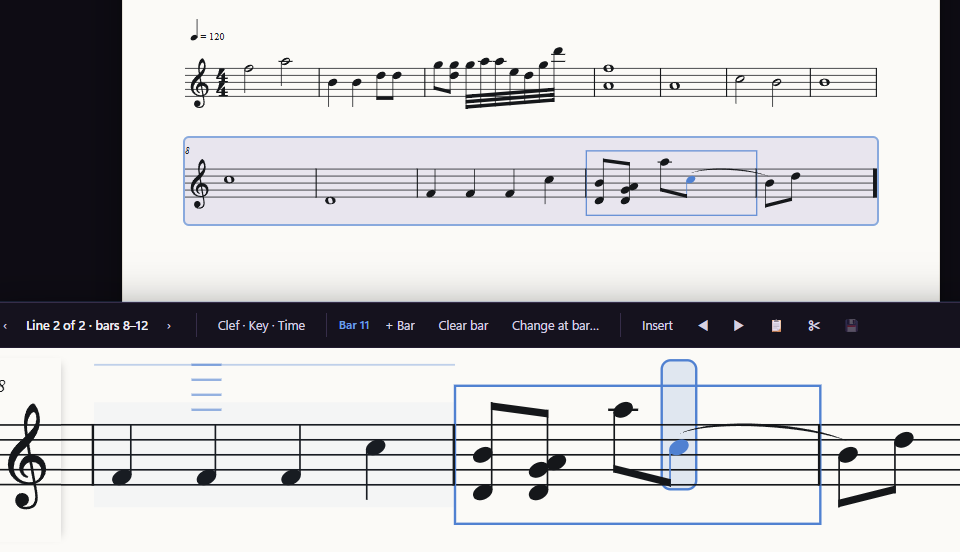
A dedicated entry palette keeps note values visible while the staff remains wide for detailed engraving.
Fast input should not trade away quality. ScriptScore pairs a vertical duration palette with engraving-aware placement so you can enter music quickly and still refine spacing like a professional tool.
Detail
Bar one, fully specified
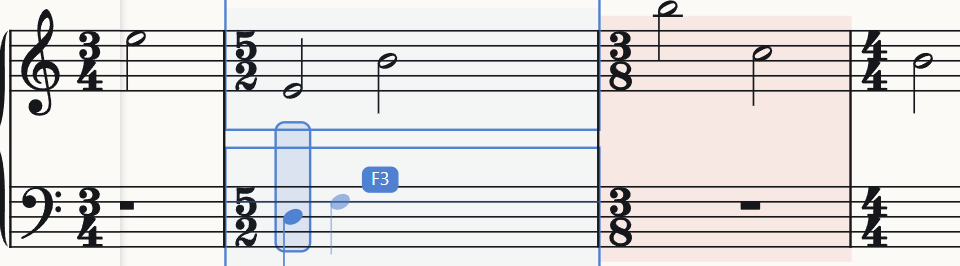
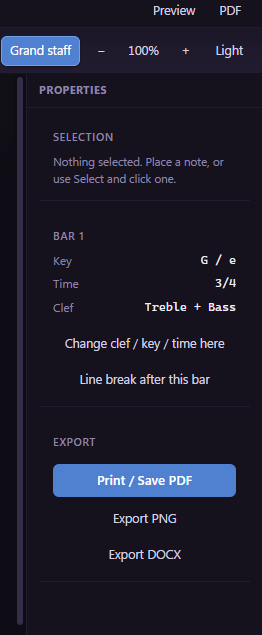
Clef, meter, and time signature for the measure you care about can be adjusted without disturbing the rest of the score.
Layout changes at bar lines are core engraving work. ScriptScore concentrates those controls in the inspector so local fixes stay local, which is essential when you are preparing performance materials.
Share
Leave the building
PDF for the stand, PNG for slides, and document formats when prose wraps the music are built in as first-class export paths.
A professional notation program must deliver finished artifacts. ScriptScore treats export as part of the engraving workflow, not a hidden afterthought, so what you proof on screen is what leaves the studio.
Selection
Every pitch accounted for
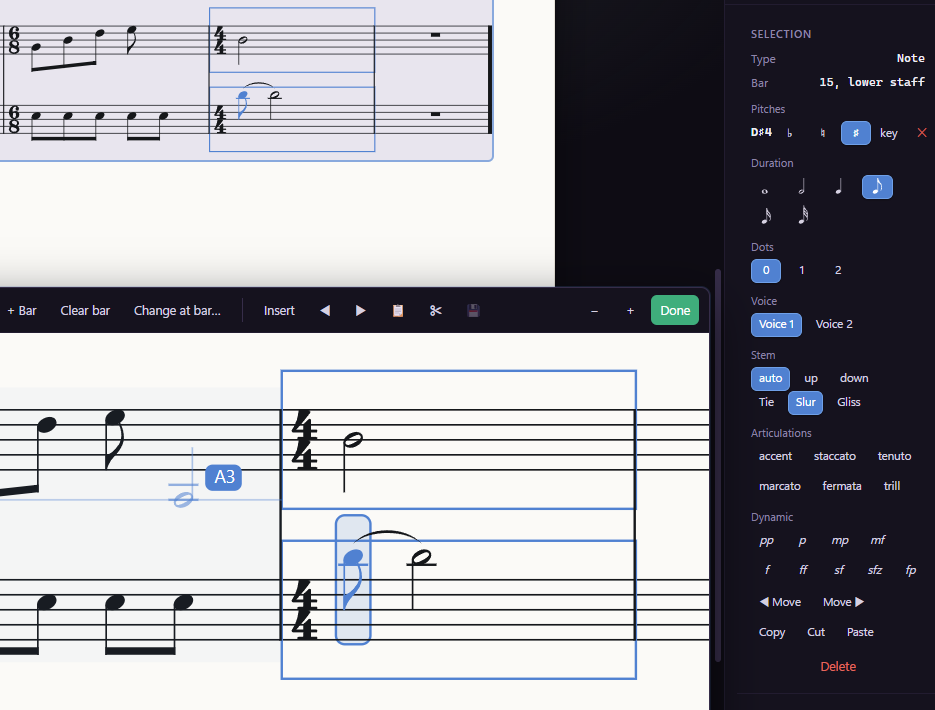
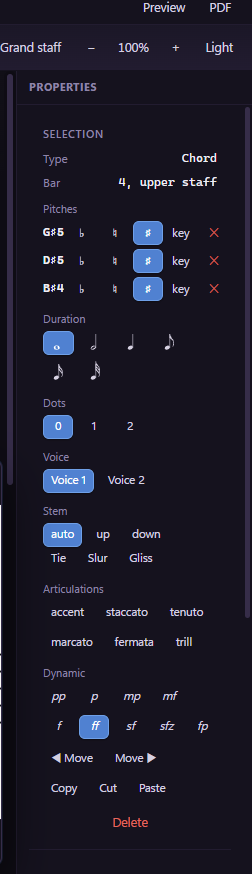
Chord selections list each sounding pitch so you can verify spelling before the part goes to players.
Engraving quality includes correct accidentals and chord tones. ScriptScore exposes pitch-level detail in the inspector so you can fix harmony at the source instead of patching the printed page later.
Expression
From whisper to blaze
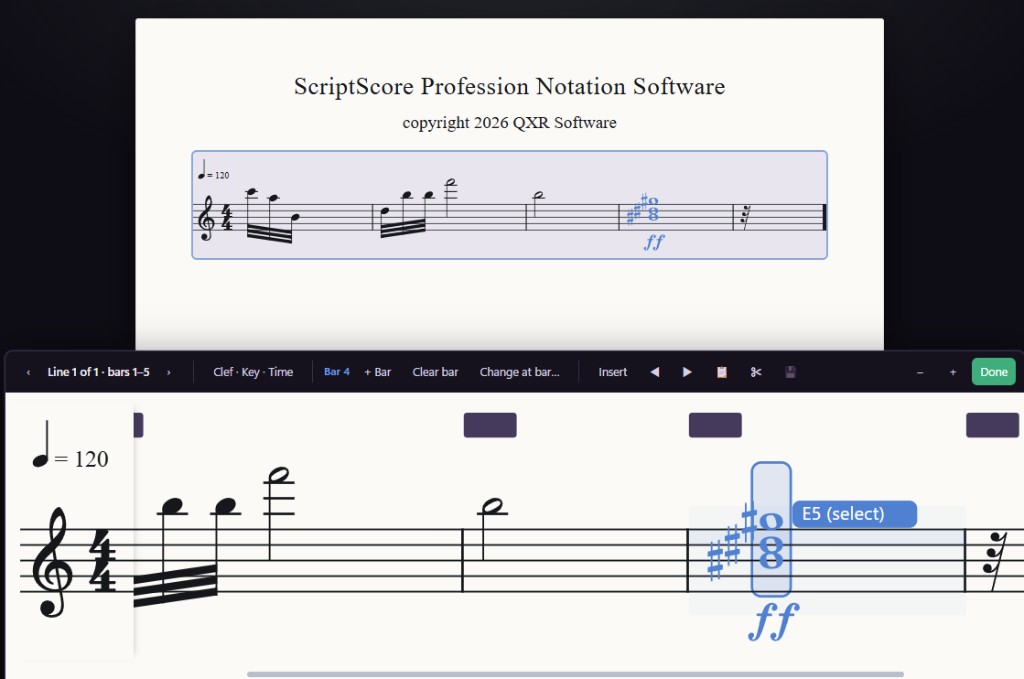
Dynamic markings and articulations live beside the notes they affect, using spacing rules taken from classical engraving practice.
Expression is part of readable notation. ScriptScore keeps dynamics and articulations tied to their anchors so professional parts communicate phrasing clearly in rehearsal and on the recording stage.
Structure
Edit one line at a time
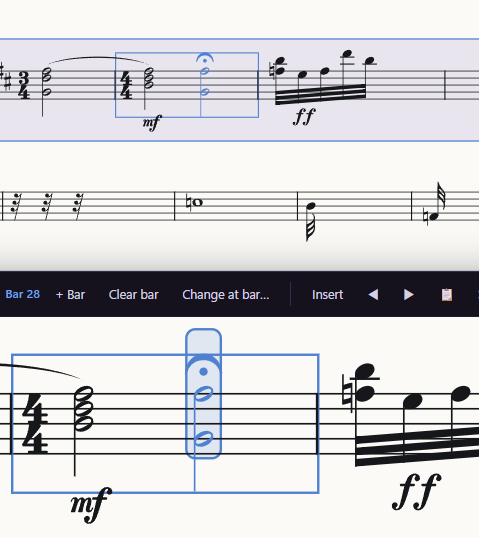
Line mode zooms the workspace to a single system so you can adjust bars, signatures, and spacing with surgical control.
Large scores need structural editing without losing context. ScriptScore line tools let you focus on one system, apply engraving fixes, and return to the full score when the passage is ready for publication.